Customer requirement:
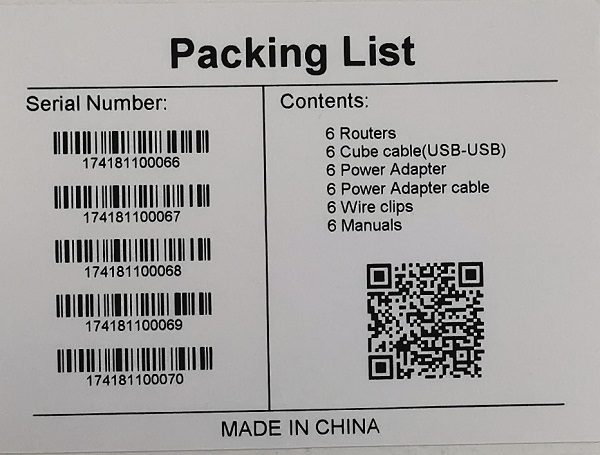
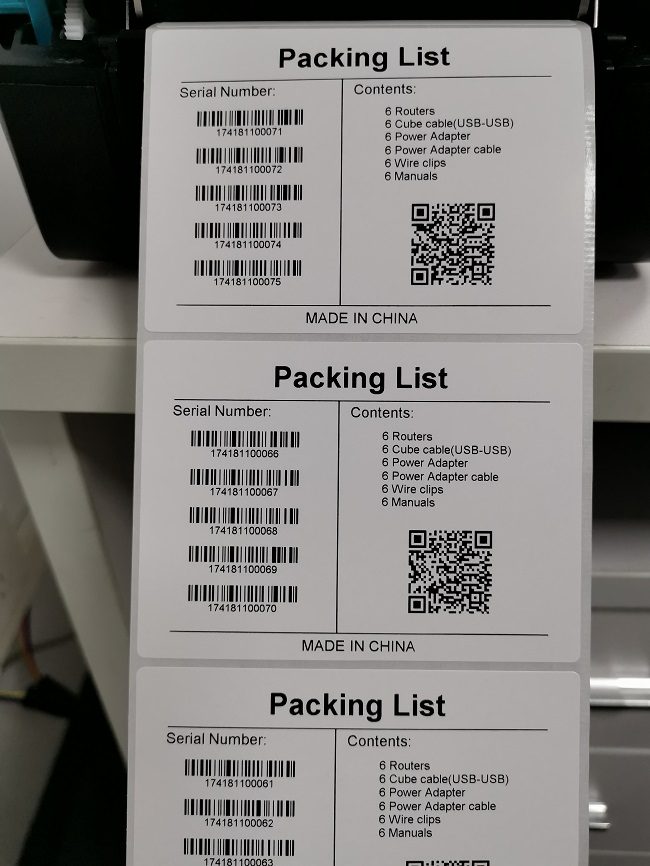
One carton holds 5 sets of products; the serial number of each set increments by 1. A list barcode must be affixed to the outer carton as shown below:
The label must contain the 1D barcodes and detailed contents of the 5 product serial numbers, plus a 2D barcode containing the 5 serial numbers.
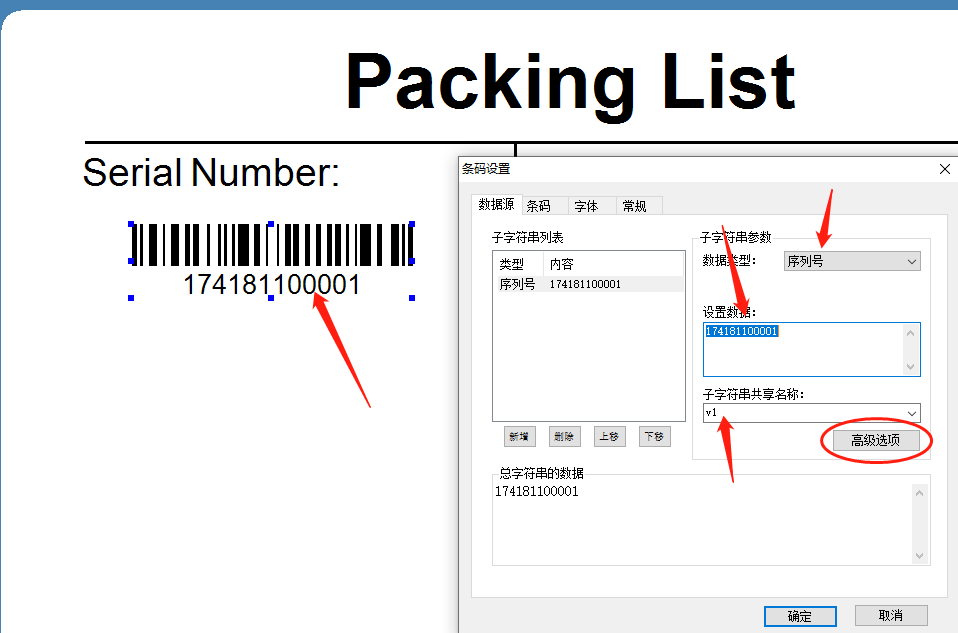
Step 1: Open LabelSoft, set the label format, add text and lines, insert a 1D barcode, and set the barcode properties as shown below:
Note that this serial number needs a shared name for later reference. The name is user-defined; in this example it is named: v1
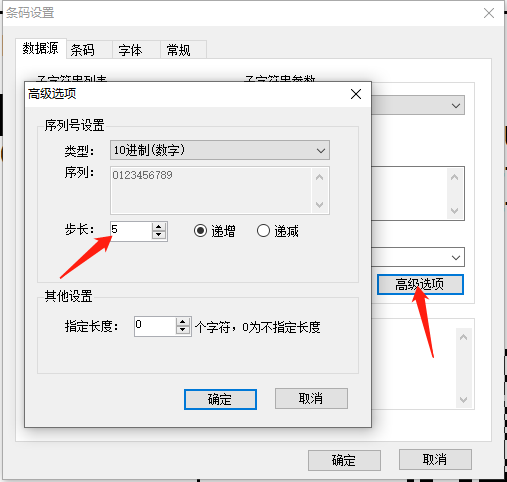
Set the increment of this serial number to 5 (5 sets of products per carton)
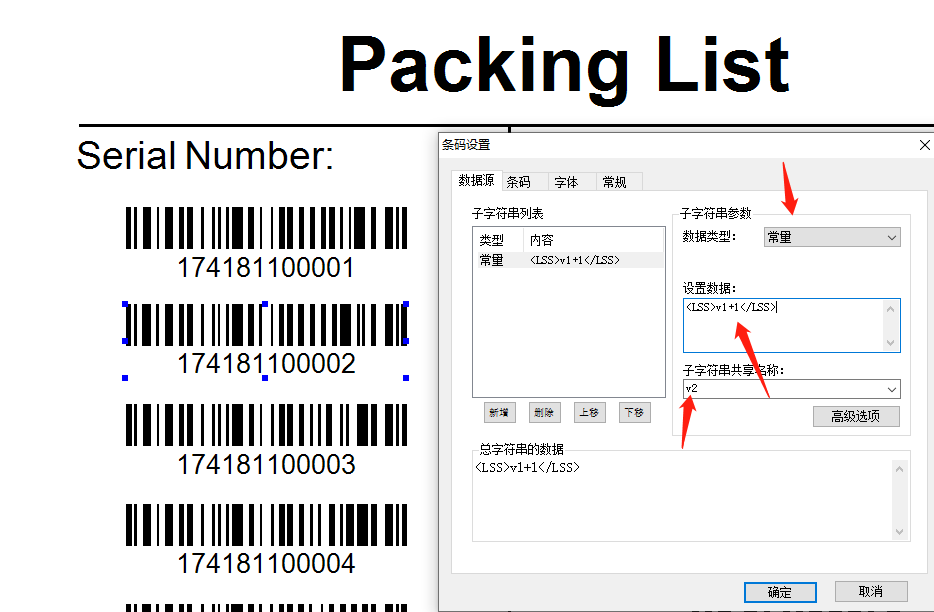
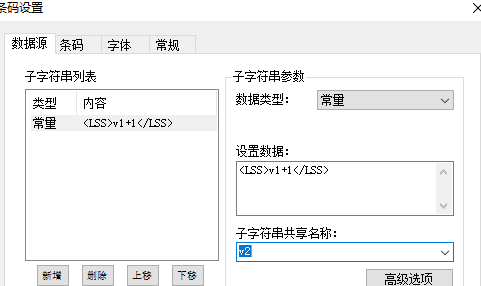
Step 2: Add the 2nd, 3rd, 4th and 5th 1D barcodes, set the data type to constant, and set the data as shown below:
This means: the data is the value of shared variable v1 plus 1
At the same time, name this barcode data with the shared name: v2
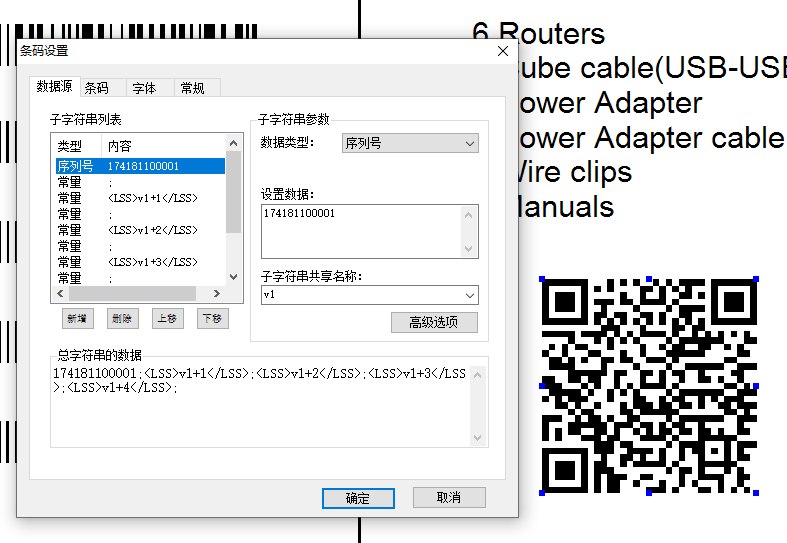
Step 3: Add a 2D barcode object and set the data list as follows:
Step 4: After setup, print. The result is as follows: