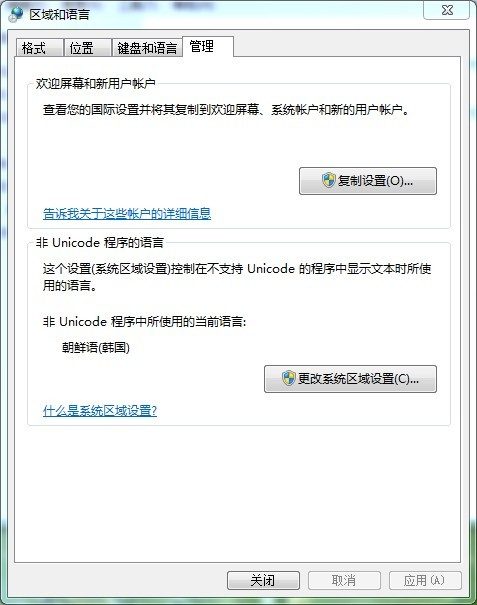
If garbled characters appear when printing Korean or Japanese with XLabel, make the following settings (using printing Korean under Win7 as an example): Open Control Panel -> Clock, Language, and Region -> Change keyboards or other input methods -> Administrative -> Language for non-Unicode programs. Click "Change system locale" and set the current system locale to "Korean (Korea)", then click OK and restart the computer.