(Using Windows XP SP3 with a ZMIN X1 as an example; other models are similar.)
First connect the USB cable and power cable of the ZMIN barcode printer (note that the printer power button should be in the off state before connecting the cables), then turn on the printer power switch.
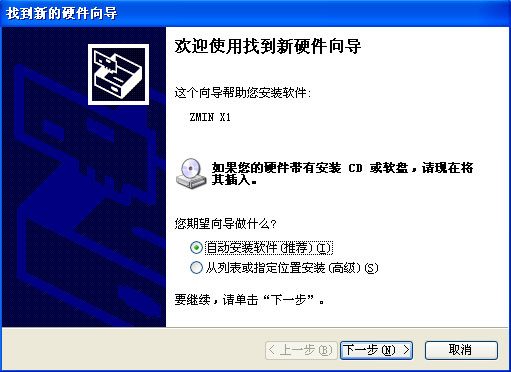
Windows will automatically detect the new device and the "Found New Hardware Wizard" interface will appear:
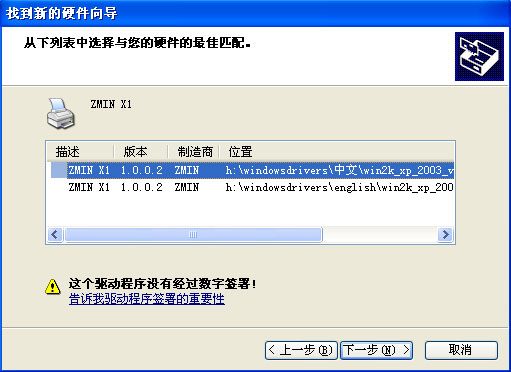
Put the CD supplied with the printer into the computer's optical drive and click "Next"; the system will automatically find the ZMIN X1 driver.
Select one of the drivers (Chinese or English) and click "Next" to start installing the driver.
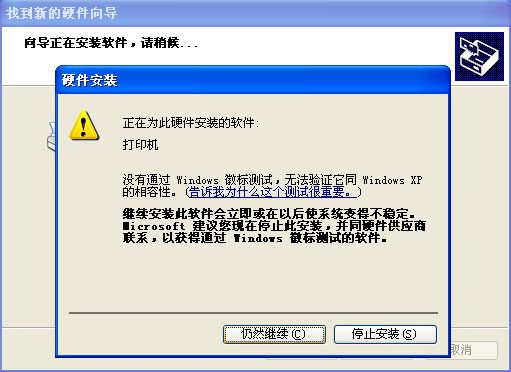
If a compatibility prompt appears, click "Continue Anyway" to complete the driver installation.
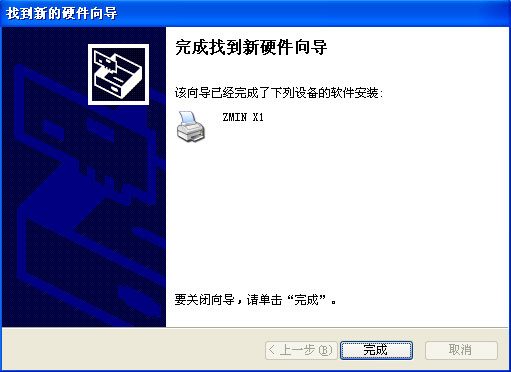
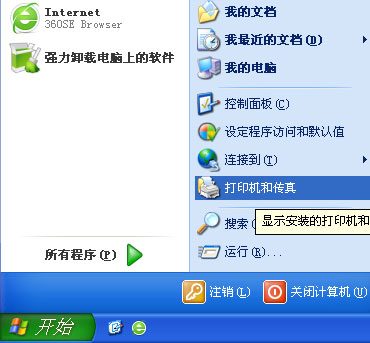
When finished, click "Start" -> "Printers and Faxes" in the lower left corner of the system
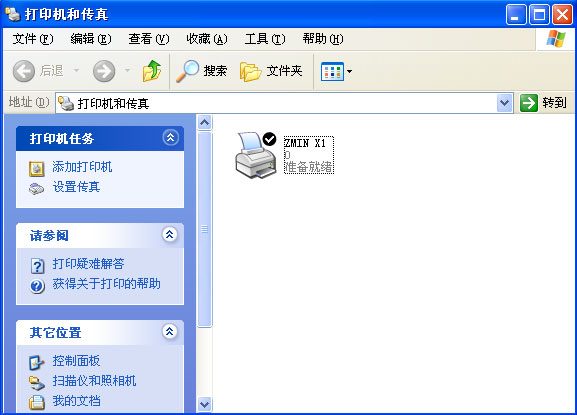
"ZMIN X1" will be displayed there in the ready state; the ZMIN barcode printer driver installation is now complete.