Note:
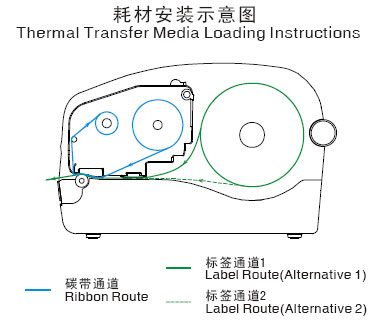
1. The ribbon is only required in thermal transfer mode; printing on thermal paper labels does not require a ribbon;
2. The ribbon you use must be ink-side-out (Ink side: Out);
3. When the ribbon width is less than 110 mm, place the ribbon in the center of the ribbon core adapter according to the scale on the adapter.
Installation steps:
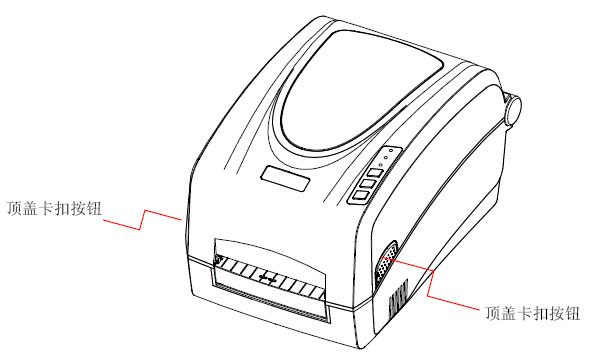
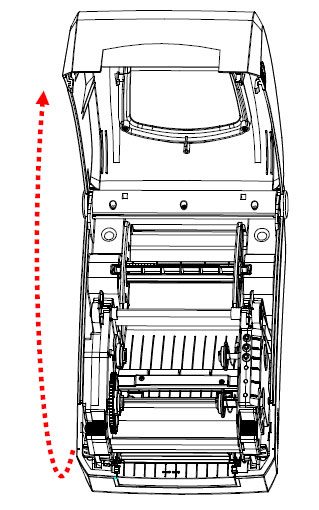
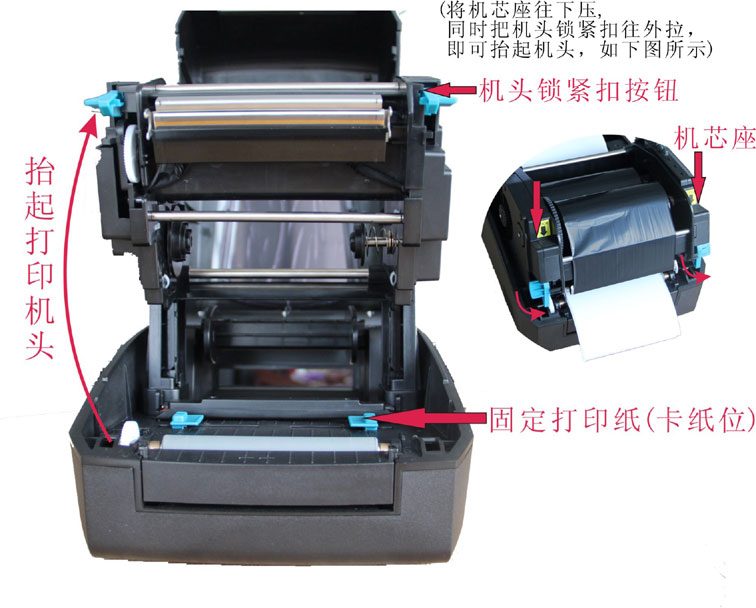
1. Press and hold the top cover latch buttons on both sides and lift open the printer top cover;
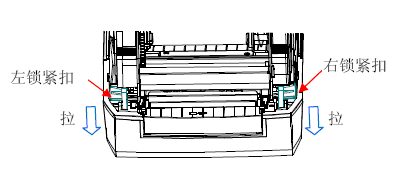
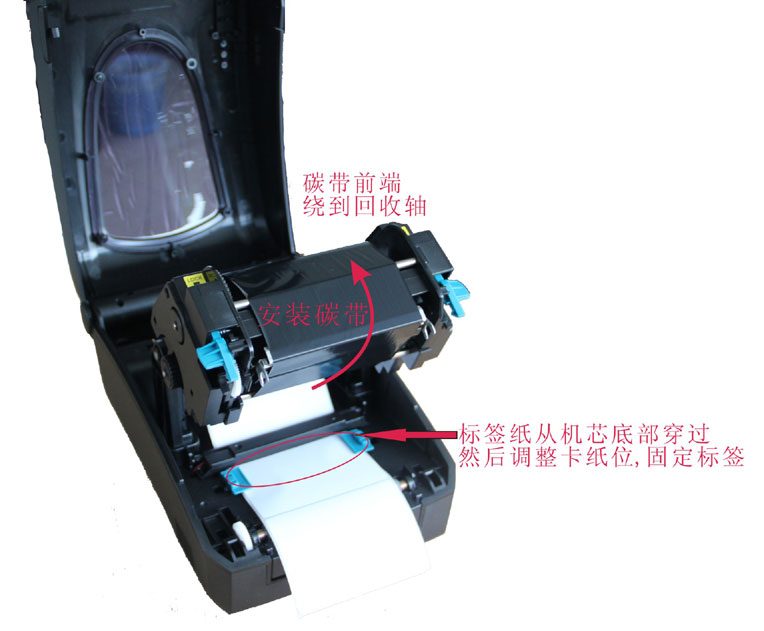
2. Pull the locking buckles on both sides simultaneously to release the printhead module;
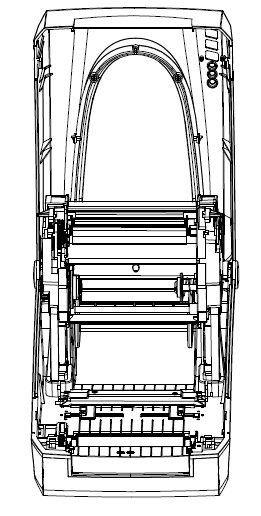
3. Lift the printhead module to expose the ribbon supply compartment;
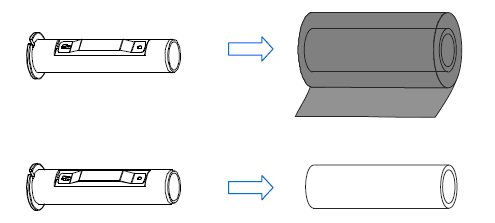
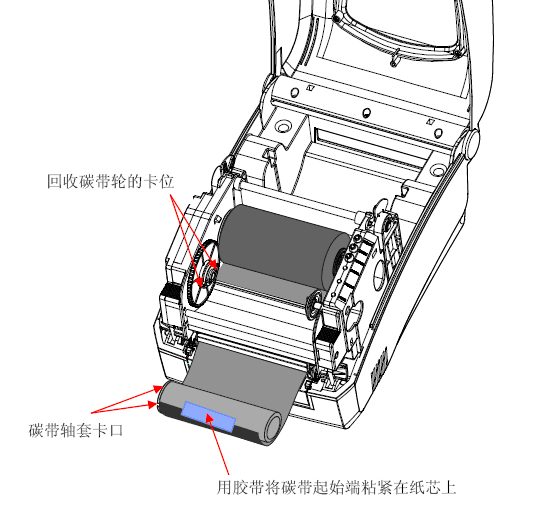
4. Unpack the ribbon roll and empty core, and insert one ribbon core adapter into the ribbon's paper core in the direction shown;
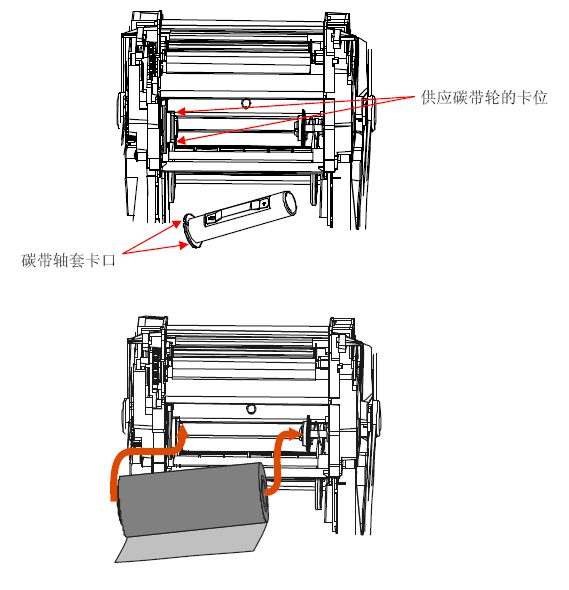
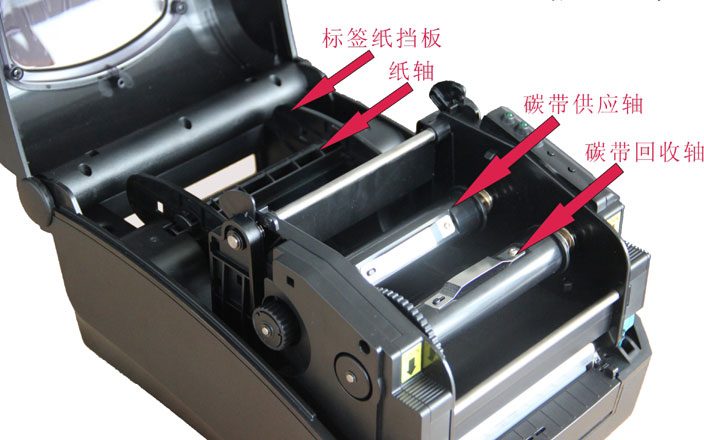
5. Snap the ribbon roll into the ribbon supply compartment; the two notches on the left side of the ribbon core adapter should engage the positions on the supply ribbon wheel;
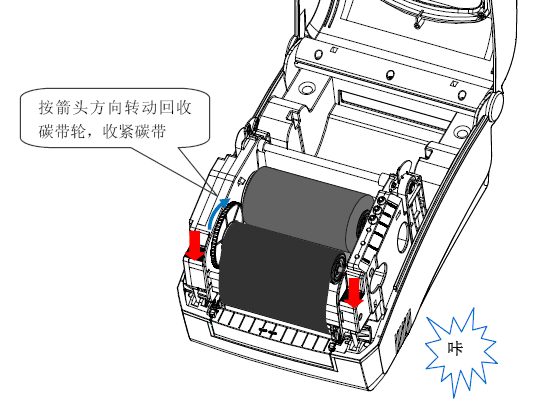
6. Lower the printhead module, then wind the leading end of the ribbon onto the empty core, insert the other ribbon core adapter into the empty paper core, and snap the empty core into the ribbon take-up compartment; the two notches on the left side of the ribbon core adapter should engage the positions on the take-up ribbon wheel;
7. Rotate the take-up ribbon wheel to tighten the ribbon, and press down both sides of the printhead module until the locking buckles lock; you will hear a "click".
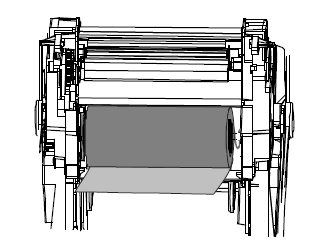
Actual photos: